-
AI Game Visual Revolution Ultimate Experience Win the Future
See More Clearly Win More Control Your Battle


-
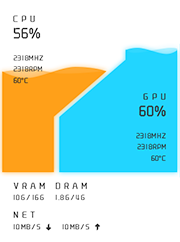
Real-time Visualization Monitoring Hardware Data Status
Adjust data status display position arbitrarily Change personalized skin schemes at will
-
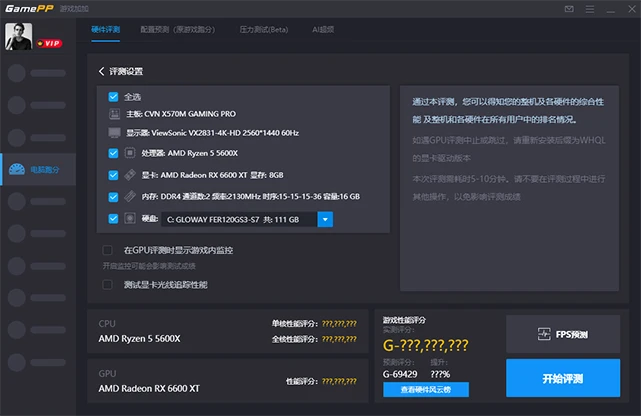
Multi-dimensional Comprehensive Evaluation Activate Game Limit Performance
Computer Hardware In-depth Analysis Accurately Locate Game Performance Bottlenecks


-
AI Intelligent Scene Rendering Enhance Cinematic Viewing Experience
AI Intelligent Color and Luminance Adjustment Always Maintain Game Visual Immersion
-
GamePP
-
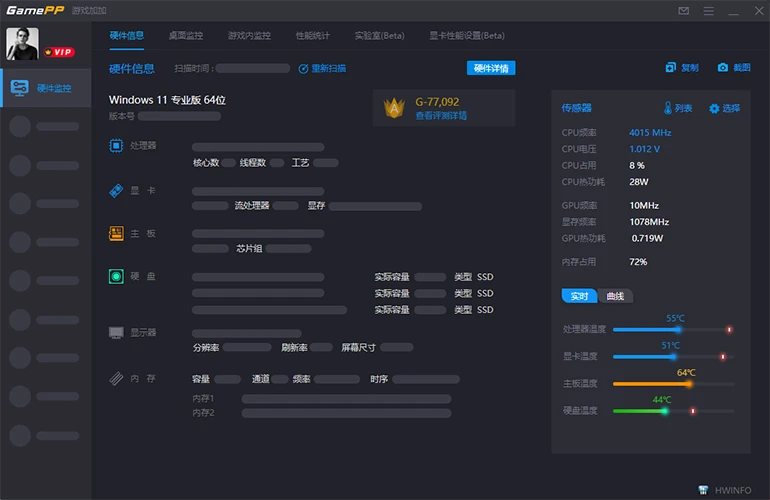
Real-time Monitoring
-
Performance Evaluation
-
AI Filters
Software Introduction

What is GamePP? GamePP, also known as GamePP, is a professional-grade game performance optimization software designed for players. As the flagship product created by Chengdu Gamu Pipi Technology Co., Ltd., it is committed to significantly enhancing your gaming experience through comprehensive hardware monitoring and intelligent optimization technology.
Main Features and Core Values: GamePP's core features cover real-time hardware monitoring (including in-game FPS display, CPU/GPU temperature and usage monitoring), AI intelligent game filters (one-click optimization of screen color and clarity), professional computer benchmark testing (comprehensive hardware performance evaluation) and CPU overclocking optimization. These features not only help you accurately master computer performance status, but also bring you smoother and more immersive game screens through intelligent algorithms.
Designed for Gamers: Whether you are an e-sports player pursuing extreme frame rates, a computer hardware enthusiast who wants to deeply understand hardware performance, or any ordinary game lover who wants to improve game fluency and picture quality, GamePP can be your capable assistant. We focus on solving common problems such as lag, unstable frame rates, and poor picture quality, so that every player can get the ultimate experience of "BY GAMERS, FOR GAMERS".
Features
GamePP provides you with real-time hardware monitoring, in-depth performance evaluation and AI intelligent game graphics, bringing you a new computer performance and gaming experience
Real-time Hardware Monitoring
Comprehensive control of your computer performance, say goodbye to performance bottlenecks.
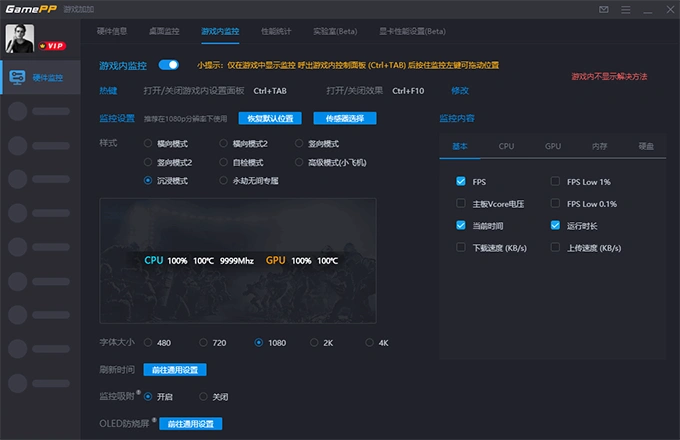
In-game Real-time Monitoring (Game FPS Display)
How to view FPS and hardware temperature in game? GamePP's real-time monitoring OSD floating window allows you to view performance data in-game without affecting game fluency at all.
-
• FPS frame rate, CPU/GPU temperature and usage, VRAM/RAM usage and other core data are displayed in real-time.
- • Support customizing the position, size and transparency of the monitoring panel to ensure it does not block the game screen.
- • Easily set shortcut keys to turn monitoring on/off with one click, perfectly integrating into your game.
- • Low resource usage, widely compatible with mainstream PC games and game platforms.
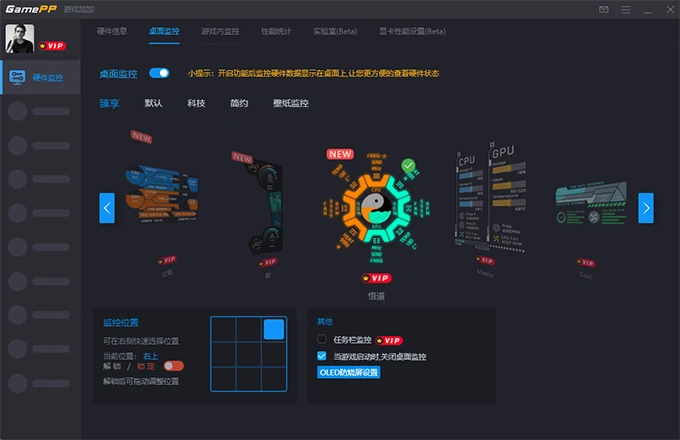
Desktop Real-time Monitoring (Hardware Monitoring Floating Window)
Can you monitor computer status when not playing games? GamePP provides exquisite desktop hardware monitoring floating windows, making your desktop more tech-savvy. It constantly reminds you of hardware health status to avoid hidden dangers.
-
• Freely choose from multiple skin themes to create a personalized desktop style.• Can freely drag position without affecting desktop icon usage.• Rich optional display content, including CPU/GPU temperature, frequency, usage, etc.• Supportstransparency adjustment, perfectly blending with your wallpaper.
Game Experience Optimization
Use intelligent technology to make your game scenes more exciting and attractive
AI Intelligent Game Filters
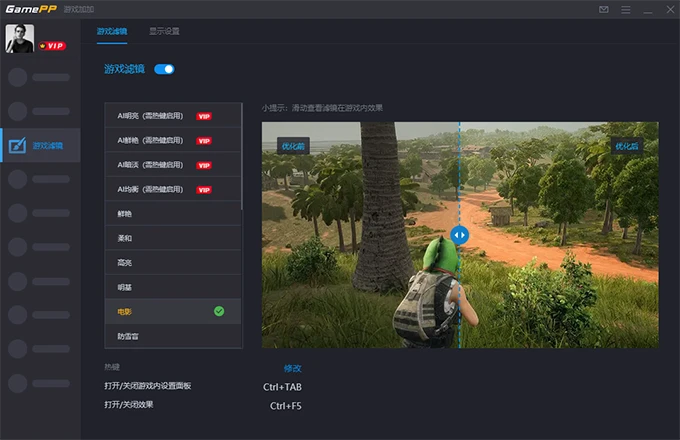
How to improve game screen effects with one click? GamePP's AI game filters can intelligently recognize game scenes, say goodbye to dull colors and washed-out images. Even low-end computers can enjoy high-quality gaming experiences through our filters!
- • AI intelligent recognition and automatic adjustment, customizing the most suitable screen scheme for you.
- • Provides multiple game type exclusive filters (such as competitive, realistic, movie modes) to meet different game needs.
- • Real-time preview of filter effects, and support personalized adjustment of brightness, contrast, saturation and other parameters.
- • Uses AI efficient algorithms to ensure low-latency processing without sacrificing precious FPS performance.
Performance Testing and Optimization
Performance testing and optimization, comprehensively evaluate hardware performance and unlock higher performance potential.